
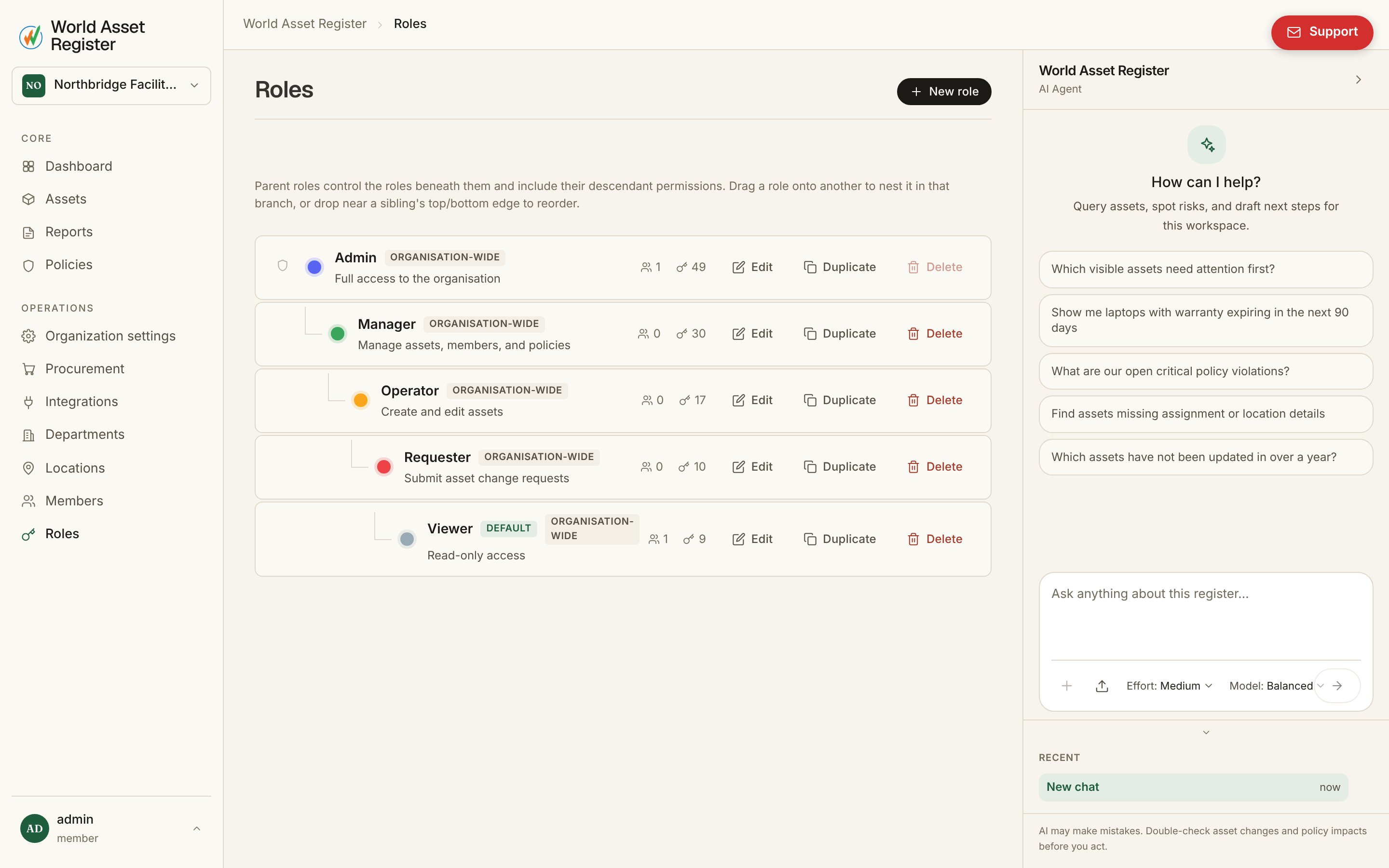
Built-in roles
An Admin role that can do everything ships by default and can’t be deleted, alongside a starting set covering common needs: a viewer, an editor, and similar. Most organisations extend this set rather than replace it.Creating a custom role
Open Roles → New role for the full editor: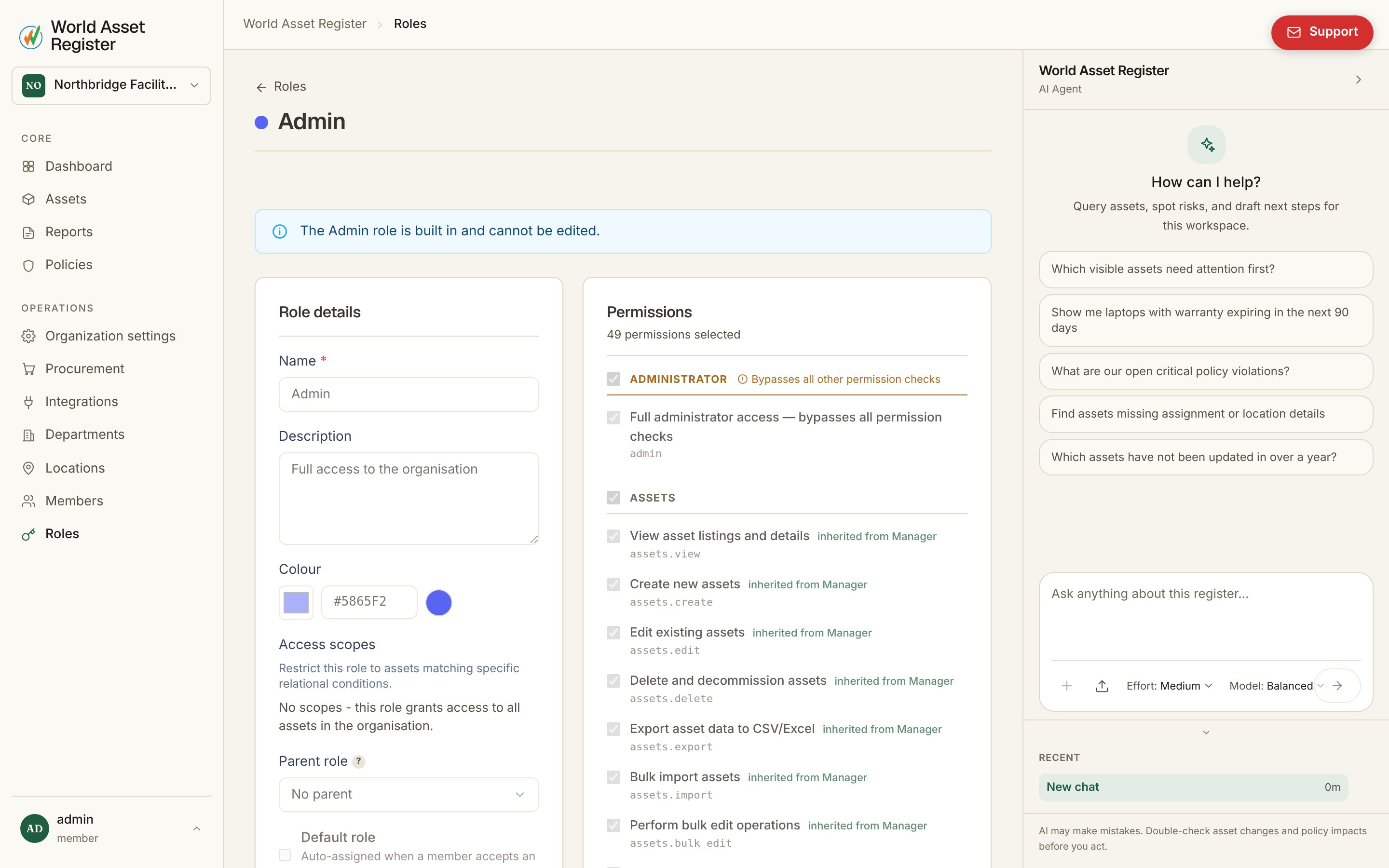
- Colour: shown next to the role wherever it appears, so members can be told apart at a glance in busy lists.
- Permissions: a categorised catalog (assets, members, policies, reports, billing, and more). Check what this role can do.
- Field access: per-field control on assets. Read, Request, or Write. Request is what powers change requests. The role can propose a change to that field without being able to save it directly.
- Access scopes: restrict the role to assets matching a condition (say, only assets at a specific location or in a specific category). Useful for regional managers or contractors who should only see their own patch.
- Parent role: an optional delegation chain. This role automatically gains everything its parent grants, on top of its own permissions. Build a “Senior editor” once, then set junior roles to inherit from it instead of re-ticking every permission.
- Default role: the role automatically given to anyone who accepts an invitation with no role specified.
Choosing what to build
A few patterns cover most organisations:- Viewer: read everything, write nothing. Good for auditors and stakeholders who need visibility without risk.
- Custodian or site manager: write access scoped to their own location or department via access scopes, so they can manage what’s theirs without touching anyone else’s.
- Contractor: narrow permissions, request-only field access, and an access scope limited to the assets they’re actually engaged on.