
Some fields are too important for everyone to edit directly: cost centres, serial numbers, ownership. But the people closest to the assets are often the ones who spot what’s wrong. Change requests square that circle. A role can be allowed to propose a change to a field without being allowed to make it, and an approver reviews the proposal field by field.

Proposing a change

For a requester, there’s nothing special to learn. Edit the asset as normal, on its detail page or through bulk edit. Fields your role can write are saved immediately. Fields marked request-only for your role are submitted as change requests in the same save, and you’ll see a “pending approval” confirmation telling you which is which. The same applies to whole-asset actions. If your role can only request them, New asset becomes Request asset, and archive and delete on the detail page become Request archive and Request delete. Bulk works too. Proposing a new location for forty selected assets files forty change requests in one action.

Reviewing requests

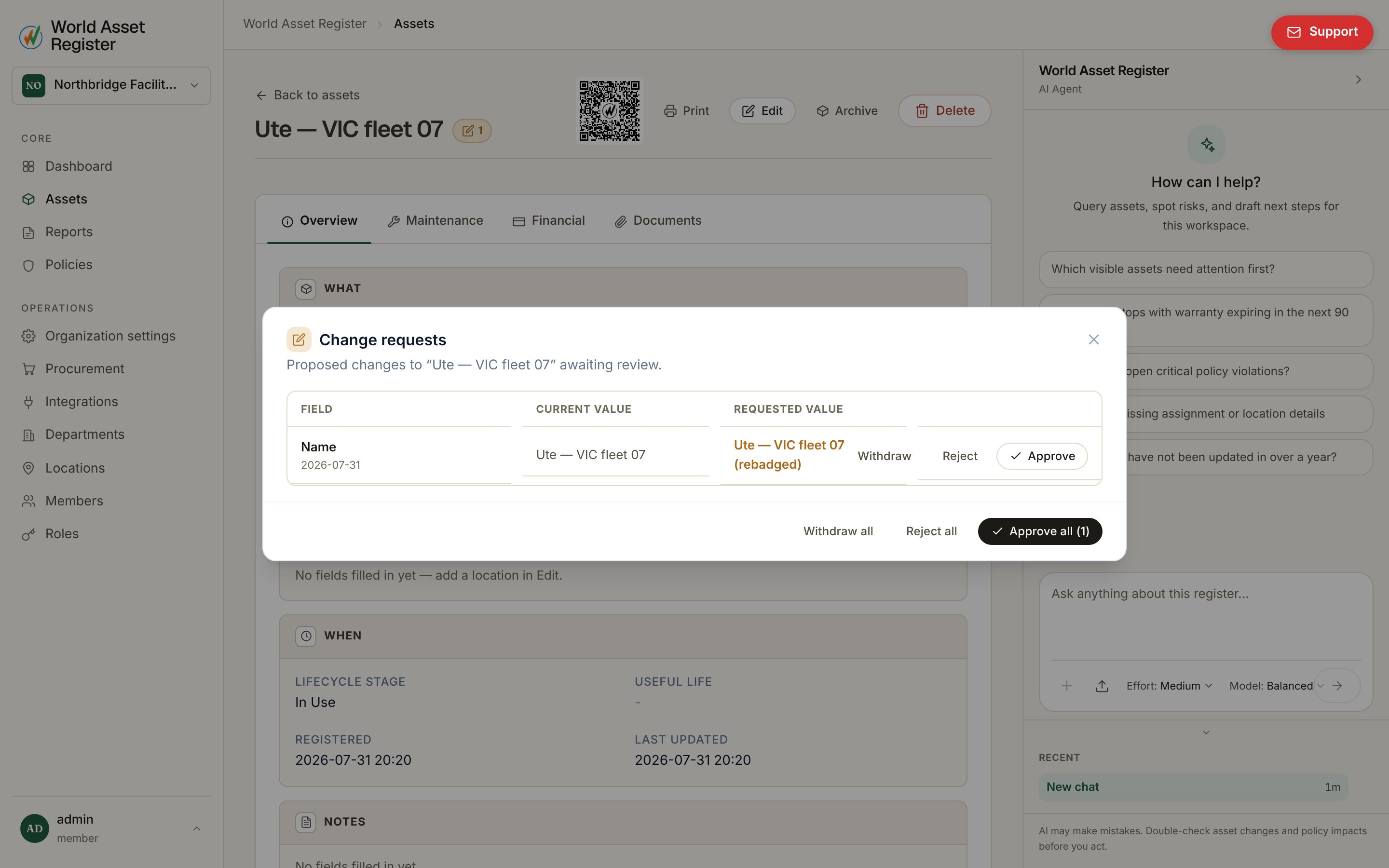
Assets with pending requests carry an orange flag, on their register row and on their detail page. Click it to review: Reviewing change requests The dialog lays each request out as field, current value, requested value, along with who requested it. Approve or reject each field independently. Approving applies the change immediately and logs it, attributed to both requester and approver, in the audit log. Requesters can withdraw a pending request themselves if it’s no longer needed. To work through a backlog, use the flag filter in the register toolbar. It shows only assets with pending requests: yours if you’re a requester, everyone’s if you can approve. Approvers can also select multiple flagged assets and approve or reject all their requests in one confirmed action.
Setting it up

Change requests are configured in the role editor. See Roles and permissions. Each field on a role can be writable, read only, hidden, or request-only, which is what routes edits through this workflow. Granting a role the bulk approve permission enables the multi-asset approve action. Two design guarantees worth knowing. A request never changes data until someone with write permission approves it, and approvals are always per field. Approving a location change doesn’t drag along a cost change from the same request.