Writing a policy
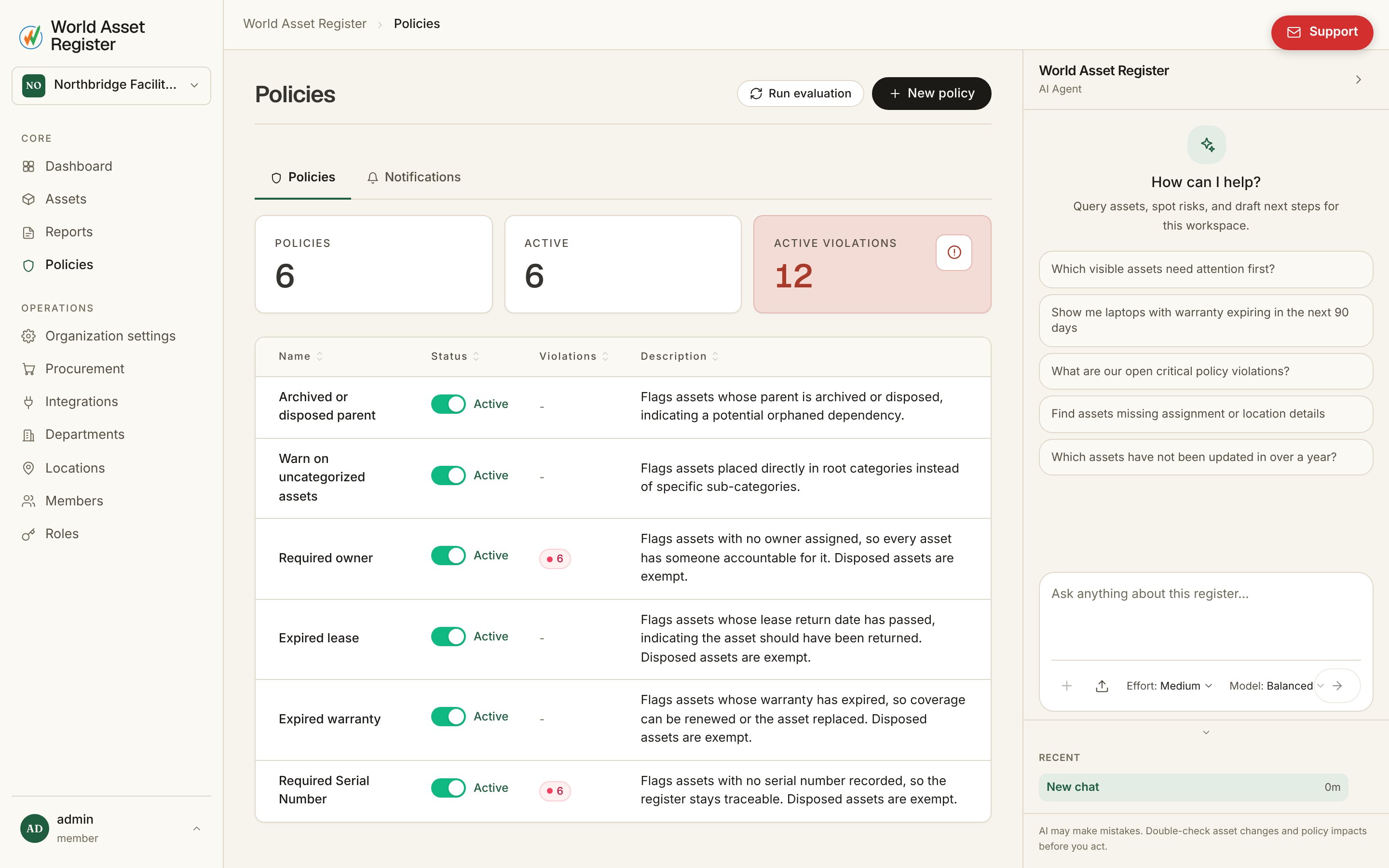
Open Policies → New policy and choose a source:- Plain text rules: describe the requirement in your own words and AI compiles it into a working rule. Good for getting started quickly.
- Build rules: a visual rule builder using your actual fields, operators and values. No ambiguity about what a rule checks, and no AI step in the middle.
How violations appear
Once a policy is active, the product evaluates it continuously against your register. Each policy’s row shows how many assets currently violate it. Click through and the register opens pre-filtered to exactly those assets, using the same violation chip mechanism used elsewhere in the app. Violations clear themselves automatically the moment the underlying data is fixed. There’s nothing to acknowledge or dismiss. Fix the asset, and the policy stops flagging it on its next evaluation.Notifications
The Notifications tab (next to Policies) configures email alerts for new violations:- Turn email notifications on and add recipients.
- Choose which severities to alert on: Critical, Warning, or Info.
- Choose delivery: Instant (one email per violation as it happens) or Digest (a summary on a schedule you set, so a busy day doesn’t mean a flood of emails).
Advanced conditions
Beyond simple field checks, policies can condition on:- Related records: a parent asset’s lifecycle stage, an asset’s maintenance history, or its attached documents.
- Aggregates and trends: counts, sums and how a value has changed over time, not just its current state.